
Where:Settings→Discount Codes
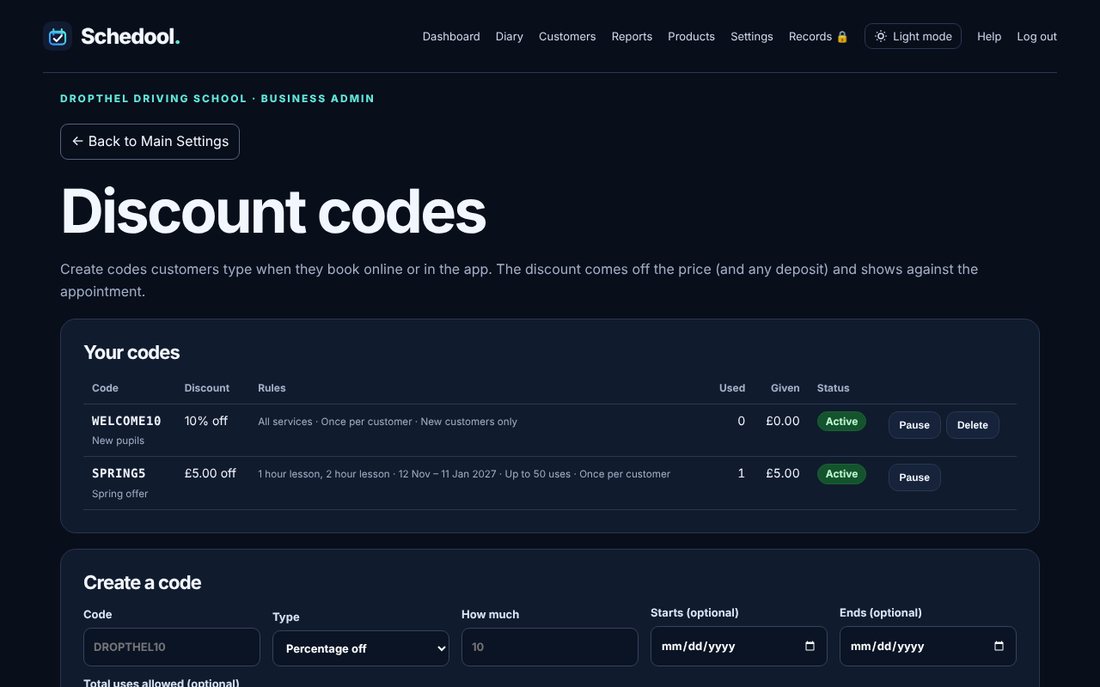
Step by step
- Open Settings → Discount Codes.
- Type the code (for example SPRING5), choose Percentage off or Amount off, and how much.
- Optional: choose start and end dates, a total number of uses, and which services it works for. Leave all services unticked for every service.
- Choose whether each customer can use it once, and whether it’s for new customers only.
- Tap Create code, then share it in your marketing.
- Pause a code to stop it being used for a while, or Delete it.
💡 The discount comes off the price (and any deposit) and shows against the appointment, so it reads as part paid rather than unpaid.
💡 Reports shows how many codes were used and how much was taken off.