
Where:Schedool app→More→Sync now
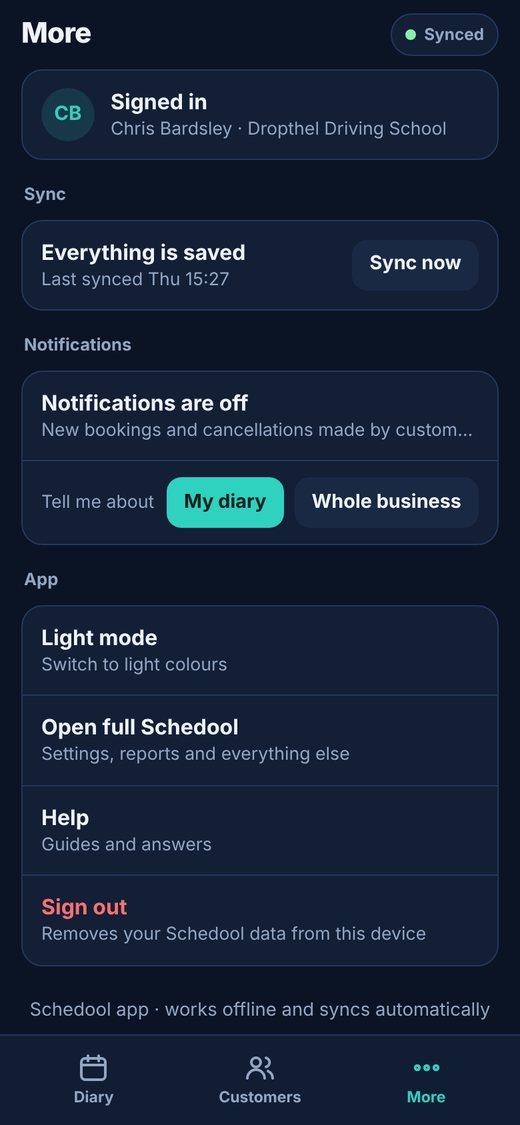
Step by step
- Look at the pill at the top: “Synced” means everything is up to date.
- To sync straight away, open More and tap “Sync now”.
- Changes made on the computer show in the app at the next sync, and changes made in the app show on the computer once synced.
💡 Each change is only ever saved once, even if the signal drops halfway through sending it.